
Imagine that you are logged into an Instagram account through a proxy. You post a caption; everything looks fine. Then you refresh the page thirty seconds later, and suddenly you’re logged out, or sometimes it’s even worse: the account gets flagged for suspicious activity. This isn’t rare. Nearly 29% of U.S. adults have had an account taken over at some point, and social media accounts make up the single largest share of those incidents, according to Security.org’s account takeover report. So even though nothing you did was wrong, your IP changed mid-session, and the website noticed. Now this is the exact problem sticky sessions solve.
What is a sticky session?
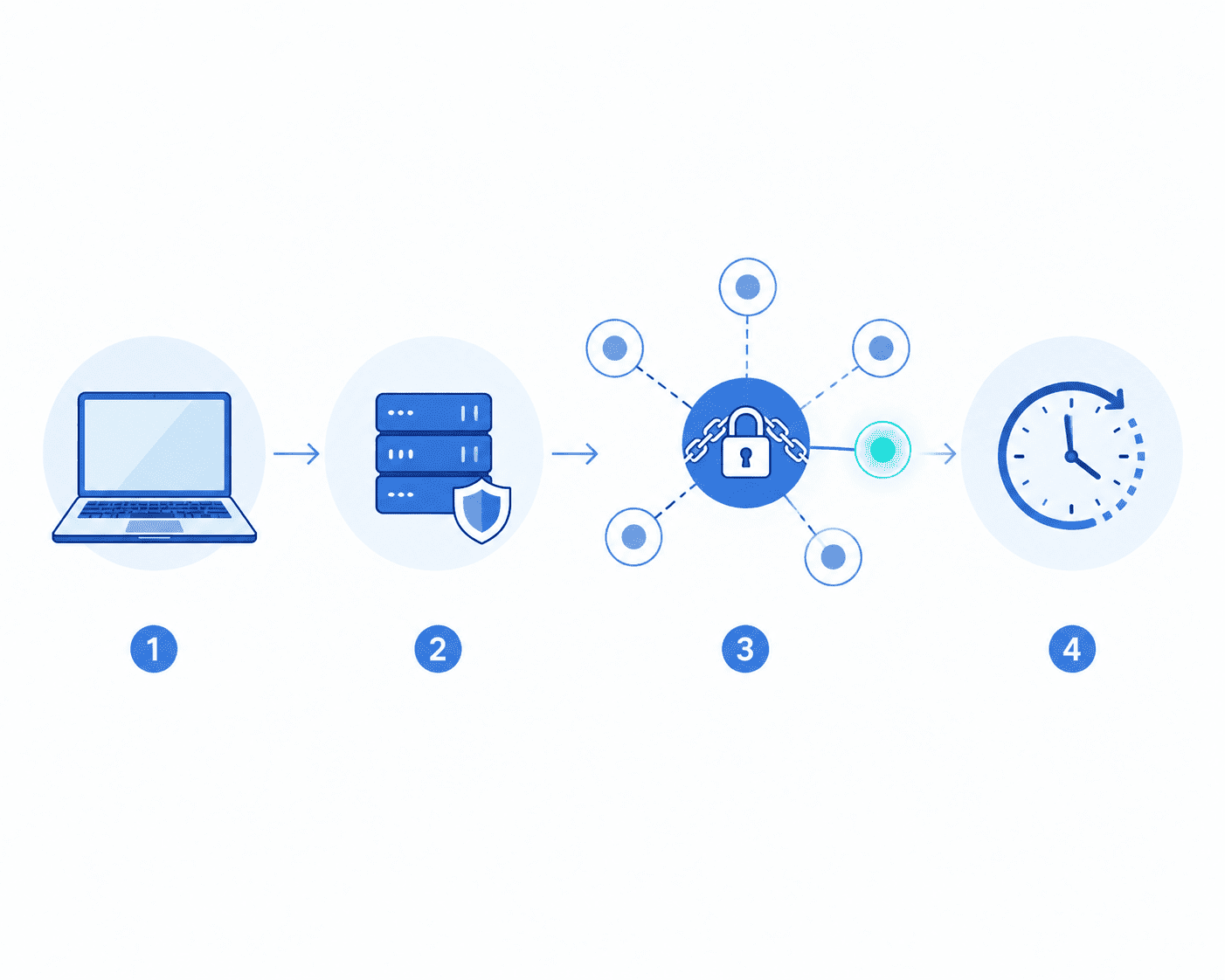
A sticky session is a proxy setting that keeps you on the same IP address for a fixed period of time, instead of switching to a new one with every request. You pick how long you want to stick around: a few minutes, an hour, sometimes up to 24 hours depending on the provider, and the proxy holds that one IP for you until the timer runs out or you manually end the session.
So without a sticky session, most proxies, especially residential and mobile ones, rotate the IP with every single request by default. That’s actually good for some tasks but really bad for others.
Need a proxy that switches between sticky and rotating sessions without touching your code? [Explore Express Nodes’ proxy plans →]
Premium Proxy Infrastructure
Residential Proxies
🏡
Your content goes here. Edit or remove this text inline or in the module Content settings. You can also style every aspect of this content in the module Design settings and even apply custom CSS to this text in the module Advanced settings.
ISP IPs
🏡
Your content goes here. Edit or remove this text inline or in the module Content settings. You can also style every aspect of this content in the module Design settings and even apply custom CSS to this text in the module Advanced settings.
Fresh IPs
🏡
Your content goes here. Edit or remove this text inline or in the module Content settings. You can also style every aspect of this content in the module Design settings and even apply custom CSS to this text in the module Advanced settings.
Dedicated IPs
🏡
Your content goes here. Edit or remove this text inline or in the module Content settings. You can also style every aspect of this content in the module Design settings and even apply custom CSS to this text in the module Advanced settings.

How Sticky Sessions Actually Work
Let me quickly explain this to you.
You connect to the proxy provider’s gateway and request a session, usually by adding a session ID to your username or connection string. The gateway grabs an available IP from its pool and locks it to that session ID. Every request you send with that same session ID gets routed through the same IP. Once the session length you set expires (or the connection drops), the IP is released back into the pool, and you’ll get a fresh one next time.
That session ID is doing all the work. If you’re running multiple tasks at once, like managing five different social accounts, each one needs its own unique session ID. Reuse the same one across two tasks, and you’ll get unpredictable routing because the gateway doesn’t know which task should own that IP.
When you actually need sticky sessions
Sticky sessions matter anywhere a website expects you to look like a continuous person, not five different visitors in five minutes. Here are a few common cases.
Logging into accounts: Social platforms, email, and banking dashboards: most login flows check whether the IP that authenticated matches the IP making follow-up requests. Switch IPs in the middle of login, and you will get flagged.
Checkout and payment flows: Cart IDs and form tokens are often tied to the IP that started the session. An IP change between add to cart and confirm payment can silently break the flow.
Sneaker copping and limited-drop checkouts: Speed matters, but so does staying on one IP through the entire add-to-cart to payment sequence. A swap in the middle of the flow can cost you the checkout.
Managing social media accounts: Posting, scrolling, and engaging from a consistent IP looks like normal human behavior. Constant IP changes look like a bot farm.
Ad verification: You need to see the exact ad a real user in a specific location would see, without your own IP shifting the results.
Rank tracking and SEO monitoring: To get an accurate read on how a page ranks for someone in a specific city, you need the query to come from one stable, geo-matched IP.
If your task involves staying logged in or completing a multi-step process, you almost always want sticky. If your task is closer to collecting the same type of data thousands of times fast, then rotating is usually a better fit.
Tired of getting logged out mid-task because your IP keeps changing? [See how Express Nodes’ sticky sessions keep you connected →]
Sticky vs Rotating
|
Sticky Session |
Rotating Session |
|
|
IP behavior |
Same IP held for a set duration |
New IP on every request |
|
Best for |
Logins, checkouts, account management, ad verification |
Large-scale scraping, price monitoring across many pages |
|
Risk of IP block |
Lower per request, but a flagged IP affects your whole session |
Spread across many IPs, so one flag has less impact |
|
Speed at scale |
Slower for bulk tasks (limited by one IP’s rate limits) |
Faster for high-volume, repetitive requests |
|
Identity consistency |
High, looks like one continuous user |
Low, looks like many different visitors |
Common mistakes people make with sticky sessions
Using sticky mode for bulk scraping. If you’re hammering one IP with thousands of requests, that IP is getting rate-limited or banned fast, sticky or not. Rotate for volume.
Setting the session way longer than the task needs. A two-minute checkout doesn’t need a 30-minute sticky session. You’re just tying up an IP (and often paying for it) longer than necessary.
Forgetting the session parameter entirely. Miss the session ID in your connection string, and most providers will quietly default you back to rotating mode, which explains a lot of “why do I keep getting logged out” tickets.
Assuming sticky means permanent. Sticky sessions are temporary by design, especially on residential proxies, since those IPs come from real people’s devices that can go offline anytime. If you need the same IP every day for weeks or months, that’s a different tool: a static ISP proxy or a dedicated IP, not a sticky session.
Final Thoughts
Sticky sessions exist for one reason: some tasks need you to look like the same person from start to finish. Logins, checkouts, account management, ad checks: anywhere a site is quietly tracking “is this still the same visitor,” a sticky session keeps you consistent. For anything high-volume and repetitive, rotating proxies are still the better, cheaper, and safer option.
The right move isn’t picking one and sticking with it forever. It’s matching the session type to what the task actually needs.
Not sure whether sticky or rotating fits your workflow? [Talk to the Express Nodes team and find out →]

HTTP vs HTTPS vs SOCKS5 Proxies:What’s the Difference?
If you have ever bought proxies, you must have seen these terms before - HTTP, HTTPS, and SOCKS5. You may have gotten confused seeing these terms because they look too technical. Most people choose whatever sounds a bit familiar, but all of these terms have a specific...

Free Proxies vs Paid Proxies: What’s the Difference and Which One Should You Use?
When you first start looking for a proxy, the idea of a free one sounds great. Why pay when you can get it for absolutely nothing? But if you have spent even a few hours trying to get free proxies to actually work, you already know the frustration that comes with...
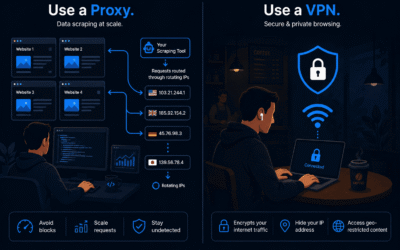
Proxy vs VPN: What’s the Difference in 2026?
If you've ever tried to scrape data, manage multiple social media accounts, or just tried to browse without actually being tracked, you may have asked yourself this question: Should I use a proxy or a VPN? Both of these tools hide your actual real IP address. But they...