
Pinterest reached 631 million monthly active users in Q1 2026, a new record high, according to Pinterest’s own earnings report as covered by Hootsuite. That’s a really big audience for anyone who sells products, runs a blog, or manages client accounts, and that’s why so many people want to schedule pins in bulk. But the catch is that Pinterest watches how accounts behave. So if you log into ten profiles from one IP address and queue up a pile of pins at once, you can end up with blocked posts or a flagged account. A good proxy fixes the network side of that problem. This guide covers which proxy types work best for Pinterest automation and scheduling, how to set them up, and the mistakes you should avoid.
Do You Need a Proxy for Pinterest Automation?
You don’t need it always. If you run one account and use a normal scheduler, you probably don’t need one.
It’s a different story when you manage several accounts. Agencies, freelancers, and ecommerce teams often run one profile per client or per niche. When all of those logins come from the same IP, Pinterest can link them together pretty easily. Sharing a browser fingerprint makes it even more obvious. A proxy gives each account its own IP address, so your accounts look like separate users in separate places, which is exactly what they should be.
One thing that most of the people get wrong is that scheduling tools that connect through Pinterest’s official API send your pins from their own servers. So the proxy doesn’t change how Tailwind or a similar tool publishes; where the proxy matters is your own logins, your browser sessions, and any automation tool that works through a browser instead of the API.
Looking for proxies for Pinterest Automation? Then check out Express Nodes
Premium Proxy Infrastructure
Residential Proxies
🏡
Your content goes here. Edit or remove this text inline or in the module Content settings. You can also style every aspect of this content in the module Design settings and even apply custom CSS to this text in the module Advanced settings.
ISP IPs
🏡
Your content goes here. Edit or remove this text inline or in the module Content settings. You can also style every aspect of this content in the module Design settings and even apply custom CSS to this text in the module Advanced settings.
Fresh IPs
🏡
Your content goes here. Edit or remove this text inline or in the module Content settings. You can also style every aspect of this content in the module Design settings and even apply custom CSS to this text in the module Advanced settings.
Dedicated IPs
🏡
Your content goes here. Edit or remove this text inline or in the module Content settings. You can also style every aspect of this content in the module Design settings and even apply custom CSS to this text in the module Advanced settings.
Blog Content
What Type of Proxy Works Best for Pinterest?
Residential proxies are the safest pick for most Pinterest work. They use IP addresses assigned by real internet providers to real homes, so Pinterest sees them as normal visitors. Datacenter proxies are cheaper and faster, but their IP ranges are easy to spot, and that makes them riskier for anything tied to an account login.
Here’s how the main types compare:
|
Proxy type |
Best for |
Cost |
Risk of flags |
Our take |
|
Static residential (ISP) |
Logging into and managing accounts |
Medium |
Low |
Best all-round choice |
|
Rotating residential |
Research, data collection, trend scraping |
Medium to high |
Low for scraping, high for logins |
Good, but not for account logins |
|
Datacenter |
Light tasks, speed tests |
Low |
High |
Use with care |
|
Mobile |
App-based workflows |
High |
Very low |
Great, but often overkill |
If you only remember one row, make it the first. A static residential IP stays the same every time you log in, and that consistency is what keeps an account looking natural.
Residential vs Datacenter Proxies for Pinterest
Think of it like this: when you use a residential IP, it looks like a person browsing from home. A datacenter IP looks like a server, because it is one.
Pinterest, like most big platforms, knows which IP ranges belong to hosting companies. Accounts that log in from those ranges get a closer look. You might get away with it for a while, but one slip can cost you a profile that took months to grow.
Datacenter proxies still have a place. They’re fine for checking how a page loads from another country or for low-stakes testing. Just keep them away from your main accounts.
Static or Rotating Proxies: Which Is Better for Scheduling?
For anything tied to a login, you should go for static proxies.
A rotating proxy changes your IP every few minutes or on every request. Imagine a person who logs into the same Pinterest account from Texas, then Poland, then Brazil, all within ten minutes. That looks suspicious, and it should.
Rotating proxies shine somewhere else. If you’re pulling keyword ideas, watching competitor boards, or tracking trending pins, rotation spreads your requests across many IPs so you don’t get rate-limited. If you need a middle ground, a sticky session holds one IP for a set time, anywhere from a few minutes to a few hours. It’s good for short browser sessions, but for daily account management, a fixed static IP is still the calmer option.
How Many Proxies Do You Need for Pinterest Accounts?
The simplest rule that you should follow is one proxy per account. That keeps every profile on its own IP, with its own history, and nothing overlaps.
Some people put two or three low-activity accounts on one IP and get away with it. Others don’t. If the accounts are valuable, the extra cost of a separate proxy is small compared to losing one.
Location matters too. Pick an IP in the same country as the account’s target audience, or at least where the account owner would normally log in. Then stick with it. Changing the location often is one of the quickest ways to draw attention.
How to Set Up a Proxy for Pinterest Scheduling
Here’s a straightforward setup that works for most teams:
- Choose a static residential proxy for each Pinterest account.
- Create a separate browser profile for every account. Chrome profiles work, and so do anti-detect browsers, which also keep fingerprints apart.
- Add the proxy to that profile using the host, port, and login details from your provider.
- Check the IP. Open an IP lookup page and confirm the country and city are what you expect.
- Log in and warm up the account. For a new account, spend the first week browsing, saving a few pins, and filling out the profile. Don’t schedule fifty pins on day one.
- Connect your scheduler and build a queue with pins spaced out over days.
Looking for IPs built for account work? You can browse the proxy plans at Express Nodes and match one static IP to each profile.
How to Avoid Getting Flagged on Pinterest
A proxy handles your IP. It can’t fix risky behavior. Pinterest’s spam filters look at what you do, not just where you log in from, so keep these habits:
- Space your pins out. Spread posts across hours and days instead of scheduling dozens at once.
- Vary your content. Posting the exact same image, title, and link across several accounts is a common reason for blocks. Some schedulers even stop you from doing it.
- Don’t hop between accounts. Switching profiles over and over in a short time looks unnatural.
- Treat new accounts gently. New or inactive accounts tend to get flagged more often, so ease in.
- Skip free proxies. Their IPs are shared by thousands of people, and many are already blacklisted.
- Read Pinterest’s rules. Pinterest has its own automation and spam guidelines. A proxy won’t make rule-breaking safe, so use automation to save time on real, useful content.
What to Look for in a Pinterest Proxy Provider
Not all providers are equal. Before you pay, check a few things:
|
What to check |
Why it matters |
|
Clean, real residential IPs |
Dirty IPs can get you flagged from day one |
|
Static and sticky options |
You need a stable IP for logins |
|
Country and city targeting |
Lets you match the account’s location |
|
HTTP and SOCKS5 support |
Works with most browsers and tools |
|
Uptime and speed |
Slow proxies cause failed logins and timeouts |
|
Simple authentication |
IP whitelisting or username and password keeps setup easy |
|
Real support |
You’ll want a human when something breaks |
If you’re ready to try dedicated or sticky IPs for your accounts, see what Express Nodes offers.
Final Thoughts
The best proxies for Pinterest automation and scheduling are static residential ones, with one IP for each account. Add separate browser profiles, a slow and steady posting rhythm, and varied content, and you’ll avoid most of the problems that trip people up. Rotating proxies are great for research, and datacenter IPs work for testing, but your main logins deserve the stable, natural-looking option.
Proxy vs VPN: What’s the Difference in 2026?
If you've ever tried to scrape data, manage multiple social media accounts, or just tried to browse without actually being tracked, you may have asked yourself this question: Should I use a proxy or a VPN? Both of these tools hide your actual real IP address. But they...

How to Use Fresh Proxies for Maximum Anonymity
Every time you send a request through a proxy, that IP carries history with it. If the IP was previously used to scrape data, run bots, or access restricted content, websites already have it flagged. That flagged IP may become a huge problem for you. According to a...
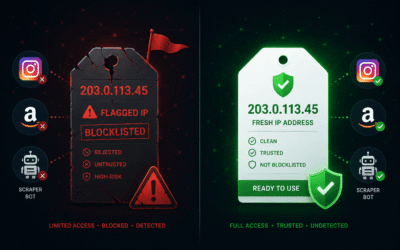
Fresh IPs / Fresh Proxies: What They Are and Why They Matter
If you have ever had a proxy get blocked within a few minutes of using it, you already know how frustrating it is. You set everything up, you run your scraper or automation tool, and then suddenly your IP gets banned. Most of the time it’s not your mistake. It is the...